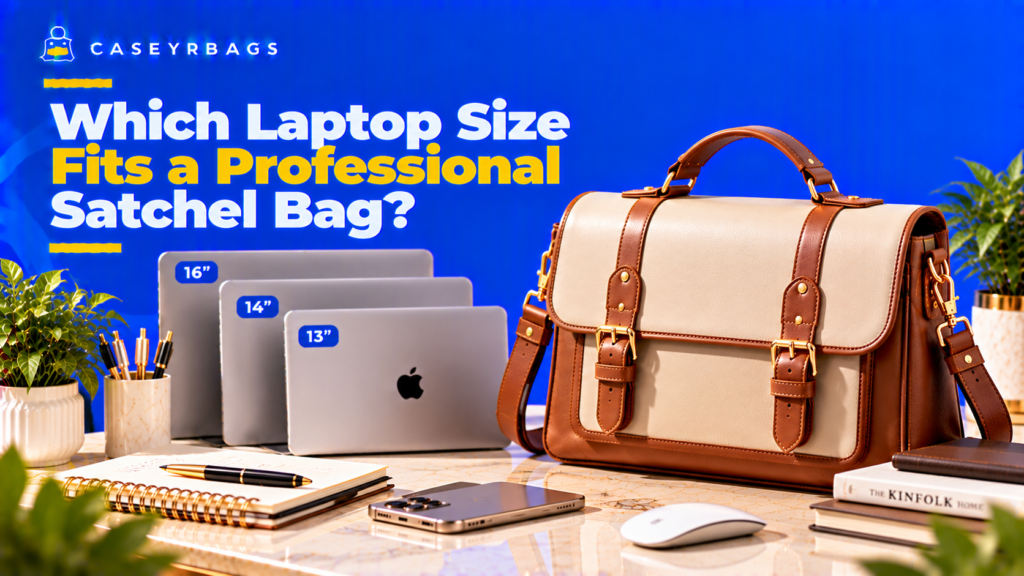
Which Laptop Size Fits a Professional Satchel Bag?
Many Professional Satchel Bags most naturally accommodate 13-inch to 14-inch laptop classes, while larger designs may fit 15-inch, 15.6-inch, or some 16-inch devices when their usable opening, internal geometry, and intended device zone provide sufficient clearance. These labels indicate likely compatibility only because laptops with the same screen diagonal can have different chassis widths, heights, thicknesses, hinges, bezels, and protective cases.
Compare the laptop’s complete carried dimensions with the Satchel’s opening, sleeve mouth, sleeve body or chamber, and closure. A practical fit allows unforced insertion and retrieval while preserving room for documents, a notebook, charger, accessories, personal essentials, and controlled loaded depth. The final choice should be the smallest Professional Satchel that passes the complete recurring-load test.
Which Laptop Sizes Commonly Fit a Professional Satchel Bag?
13-inch and 14-inch laptop classes are often the easiest to accommodate in Professional Satchels because their fixed rectangular demand is commonly lower. Actual carried chassis dimensions, not the screen-size label, determine fit.
15-inch and 15.6-inch devices can fit larger or better-proportioned Professional Satchels when internal width, height, opening, sleeve, and depth are sufficient. These devices use more of the bag’s fixed rectangular area and can reduce remaining work capacity.
16-inch compatibility is increasingly Satchel-specific and usually requires a deliberately larger opening and device zone. Small differences in chassis, case, sleeve padding, or opening structure can decide the outcome near this fit boundary.
For the wider carry-and-capacity system, see Satchel Bag.
Which laptop classes are usually easiest to accommodate?
13-inch and 14-inch laptop classes are often the easiest starting points for many Professional Satchels because their fixed rectangular demand is usually lower. 13-inch and 14-inch classes as strong starting tendencies in many Professional Satchels. Explain that their smaller footprints often preserve more room for documents, a notebook, charger, accessories, and personal essentials. The comparison should use actual carried-device geometry and the same Professional Satchel structure rather than screen-size labels alone.
Preserve the boundary: a bulky case, unusually wide chassis, narrow opening, or compact sleeve can still create a mismatch. Do not guarantee that any 13-inch or 14-inch device fits by label alone. The result should be verified through opening, seating, closure, retrieval, remaining-capacity, and loaded-profile checks before compatibility is accepted.
When do 15-inch and 15.6-inch laptops fit?
15-inch and 15.6-inch laptops fit only when the actual carried chassis clears the opening, device zone, and remaining work-load requirements without forcing the Satchel. Actual carried width, height, thickness, opening clearance, sleeve or chamber dimensions, and enough loaded-depth capacity. Explain that chassis width and opening width frequently become the limiting pair, depending on design. The comparison should use actual carried-device geometry and the same Professional Satchel structure rather than screen-size labels alone.
The normal documents and charger to remain functional after insertion. A 15/15.6-inch laptop does not practically fit when it enters but consumes the closure path, document zone, or nearly all flexible capacity. The result should be verified through opening, seating, closure, retrieval, remaining-capacity, and loaded-profile checks before compatibility is accepted.
When is a 16-inch laptop practical?
A 16-inch-class laptop is practical only when the exact carried geometry matches a deliberately compatible opening and device zone while the rest of the work load still functions. A 16-inch-class device is practical only when the exact carried chassis clears the opening and intended device zone without force and the Satchel still supports its recurring work load. Treat the class as increasingly design-specific.
A larger Satchel may be justified when the 16-inch device is a recurring requirement and smaller structures crowd or distort. Do not force a large device into geometry designed for a smaller class or size permanently around a hypothetical future laptop. The result should be verified through opening, seating, closure, retrieval, remaining-capacity, and loaded-profile checks before compatibility is accepted.
| Laptop Class | Professional Satchel Fit Tendency | Primary Constraint |
|---|---|---|
| 13-inch | Strong in many designs | Actual carried chassis and opening |
| 14-inch | Strong–Moderate | Sleeve/opening clearance |
| 15-inch / 15.6-inch | Conditional | Width, height, remaining capacity |
| 16-inch | More design-specific | Overall geometry, opening, loaded depth |
| Larger workstation class | Usually weak | Fixed rectangular demand and bulk |
Why Does Screen Size Not Determine Professional Satchel Fit?
Advertised screen size usually describes the display diagonal, while a Professional Satchel must accommodate the complete exterior chassis and protective setup. Screen class is therefore an orientation tool, not a bag-dimension substitute.
What does advertised screen size actually describe?
Advertised screen size describes the display diagonal, not the complete exterior width, height, thickness, hinge, case, or corner geometry the Satchel must accommodate. 13-inch, 14-inch, 15.6-inch, and 16-inch labels normally refer to the visible display diagonal rather than the laptop’s external side-to-side width, front-to-back height, or closed thickness. The comparison should use actual carried-device geometry and the same Professional Satchel structure rather than screen-size labels alone.
Screen size ≠ laptop chassis size. Use the class only to narrow the search; do not convert the diagonal directly into a sleeve-width or bag-width requirement. The result should be verified through opening, seating, closure, retrieval, remaining-capacity, and loaded-profile checks before compatibility is accepted.
Why can two laptops in the same class have different footprints?
Two laptops in the same class can have different external footprints because bezel width, aspect ratio, hinge design, feet, edge shape, chassis thickness, and protective cases vary. Bezel width, aspect ratio, hinge construction, edge shape, feet, ventilation structure, chassis design, and overall thickness. These can change the external envelope even when the screen diagonal matches.
Add the carried setup: shells, corner bumpers, attached accessories, or a protective case can widen or thicken one device more than another. Therefore a class-level fit claim must remain conditional. The result should be verified through opening, seating, closure, retrieval, remaining-capacity, and loaded-profile checks before compatibility is accepted.
Which dimensions should control the final decision?
The final decision should use the carried device’s external width, height, and thickness measured at the widest, tallest, and thickest relevant points. The complete external width × height × thickness of the laptop in the configuration normally carried. Measure the widest, tallest, and thickest relevant points rather than the display panel alone. The comparison should use actual carried-device geometry and the same Professional Satchel structure rather than screen-size labels alone.
Those three dimensions with the usable opening, sleeve mouth, sleeve body or chamber, closure path, and remaining depth. A practical result must pass all of them, not only width and height. The result should be verified through opening, seating, closure, retrieval, remaining-capacity, and loaded-profile checks before compatibility is accepted.
How Should the Laptop and Protective Setup Be Measured?
Compatibility testing begins with the exact laptop as normally transported. A bare-device specification is incomplete when a case, shell, bumper, or carried sleeve is part of ordinary use.
How should laptop width be checked?
Laptop width should be measured side to side across the widest carried-device point, including protruding hinges, bumpers, or case edges where they define the envelope. Measure side to side across the widest external point of the carried device. Include protruding hinges, ports, bumpers, or case edges where they determine the envelope; keep the laptop closed and in its normal carried state.
An exact-width match can be difficult to insert or remove because seams, padding, and soft tolerances need working clearance. Compare the measured device with the actual usable opening and device-zone width, not exterior Satchel width. The result should be verified through opening, seating, closure, retrieval, remaining-capacity, and loaded-profile checks before compatibility is accepted.
How should laptop height and closure clearance be checked?
Laptop height should be checked against the usable sleeve or chamber height and the actual zipper, flap, retention, or closure path. Measure the second planar dimension from the relevant front edge to the farthest closed-device edge, including the case. Compare it with sleeve/chamber height and the closure’s usable fold, zipper, or flap path. The comparison should use actual carried-device geometry and the same Professional Satchel structure rather than screen-size labels alone.
Space for normal closure movement, hand access, and removal. Maintain the laptop sitting below the exterior top edge ≠ closure-compatible fit when the device still contacts the zipper, flap fold, or retention feature. The result should be verified through opening, seating, closure, retrieval, remaining-capacity, and loaded-profile checks before compatibility is accepted.
How should thickness and case bulk be included?
Thickness should be measured with the device in its normal carried setup because shells, bumpers, feet, and cases can consume sleeve depth and expand the loaded Satchel. Measure closed-device thickness at the thickest normal carried point and include feet, shell layers, bumpers, or a protective case. If the protective setup changes the envelope materially, record the carried dimensions rather than adding a guessed allowance.
Thickness can expand a padded sleeve into the document zone and increase loaded Satchel depth even when width and height pass. Maintain planar fit ≠ complete three-dimensional fit and bare-device dimensions ≠ carried-device dimensions. The result should be verified through opening, seating, closure, retrieval, remaining-capacity, and loaded-profile checks before compatibility is accepted.
How Do Satchel Internal Geometry and Opening Limit Laptop Size?
A laptop may fit within a Satchel’s exterior outline yet fail the usable interior or opening because seams, padding, taper, gussets, pockets, reinforcement, and closures reshape the actual device path.
How does usable internal width affect laptop fit?
Usable internal width matters because seam allowances, padding, gussets, taper, pockets, and side structure can make the device zone narrower than the outside bag. Seam allowances, side padding, gussets, internal pockets, taper, and panel structure can make the usable width narrower than the outside shell. The widest carried-device point must clear the intended zone. The comparison should use actual carried-device geometry and the same Professional Satchel structure rather than screen-size labels alone.
External bag width ≠ usable internal laptop width. If specifications are unclear, measure or test the actual device zone rather than subtracting one universal allowance. The result should be verified through opening, seating, closure, retrieval, remaining-capacity, and loaded-profile checks before compatibility is accepted.
How do internal height and closure geometry affect fit?
Internal height and closure geometry determine whether the fully seated laptop leaves enough room for the zipper, flap, retention feature, and normal retrieval path. A curved top edge, zipper track, flap fold line, internal sleeve placement, retention tab, and top reinforcement. These structures can reduce the height available after the laptop is fully seated. The comparison should use actual carried-device geometry and the same Professional Satchel structure rather than screen-size labels alone.
Failure signs: the top edge contacts the closure, flap cannot settle, zipper brushes the device, retention strains, or removal requires pressing the laptop downward. Require enough clearance for normal closure and retrieval. The result should be verified through opening, seating, closure, retrieval, remaining-capacity, and loaded-profile checks before compatibility is accepted.
When does the opening become the true compatibility limit?
The opening becomes the true compatibility limit when the chamber behind it is large enough but the device cannot pass through the usable entry span without force or repeated strong manipulation. Zipper ends, a narrow top span, flap hardware, reinforced edges, stiff side panels, or a smaller sleeve mouth can create an access path narrower than the chamber behind it.
Test direct insertion and removal with the complete normal load. Mild natural angling may be acceptable, but repeated strong diagonal manipulation, forcing, bending, or partial unloading indicates Tight/Questionable Fit or Incompatible. The result should be verified through opening, seating, closure, retrieval, remaining-capacity, and loaded-profile checks before compatibility is accepted.
How Do a Dedicated Laptop Sleeve and Padding Change Fit?
A dedicated laptop sleeve can position and separate the device, but its stitched boundaries, padding, lining, elastic, mouth, and base may be more restrictive than the larger main chamber.
Why can the sleeve be smaller than the main chamber?
A dedicated sleeve can be smaller than the main chamber because stitched sides, padding, binding, elastic, lining, pockets, and suspended bases create a fixed inner envelope. Stitched sides, padded walls, binding, elastic, lining, pockets, and an elevated or suspended base define a smaller fixed device envelope inside the larger Satchel body. The comparison should use actual carried-device geometry and the same Professional Satchel structure rather than screen-size labels alone.
Main-chamber fit ≠ sleeve fit. A laptop that sits loosely in the open chamber may still fail the intended sleeve width, height, thickness, or mouth. The result should be verified through opening, seating, closure, retrieval, remaining-capacity, and loaded-profile checks before compatibility is accepted.
How does sleeve padding change usable dimensions?
Sleeve padding consumes part of the width, height, and thickness allowance and can compress unevenly around laptop corners or a protective case. Padding occupies part of the sleeve’s width, height, and thickness allowance and may compress unevenly around corners or a case. More padding can reduce the compatible carried-device envelope. The comparison should use actual carried-device geometry and the same Professional Satchel structure rather than screen-size labels alone.
Pair the trade-off with a claim boundary: padding may provide cushioning characteristics, but physical fit or padded construction does not establish impact-proof, drop-proof, or universal protective performance. The result should be verified through opening, seating, closure, retrieval, remaining-capacity, and loaded-profile checks before compatibility is accepted.
Why must the sleeve mouth and retrieval path be tested?
The sleeve mouth and retrieval path must be tested separately because elastic, reinforced edges, stitching, tabs, overlap, or case friction can make entry harder than the sleeve body suggests. Elastic binding, curved stitching, a reinforced top edge, closure tab, pocket overlap, and case friction that can make the entrance narrower than the sleeve body. A device may fit once seated yet remain awkward to access.
The full sequence insert → seat → secure where provided → remove without force, strong stretching, repeated manipulation, or unloading. The sleeve passes only when both its entrance and body serve the carried device. The result should be verified through opening, seating, closure, retrieval, remaining-capacity, and loaded-profile checks before compatibility is accepted.
| Fit Zone | Potential Benefit | Main Constraint | Claim Boundary |
|---|---|---|---|
| Dedicated sleeve | Predictable position and separation | Smaller body/mouth, padding, bindings | Fit does not prove protection |
| Main chamber | Larger flexible geometry | More movement and content contact | Compatibility ≠ sleeve control |
| External measurement only | Quick initial estimate | Structure/seams excluded | Cannot confirm internal fit |
| Sleeve label only | Quick class reference | Devices/cases vary | Cannot guarantee chassis compatibility |
When Do 13-Inch and 14-Inch Laptops Fit Best?
13-inch and 14-inch devices often balance compact fixed geometry with useful remaining work space, but chassis, case, opening, sleeve, and complete-load conditions still decide each pairing.
When does a 13-inch laptop fit best?
A 13-inch laptop often fits best when its smaller carried footprint leaves enough room for documents, charger, notebook, accessories, and direct retrieval. The class often presents a smaller rectangular footprint and lower thickness demand, which can leave more room for documents, charger, notebook, accessories, and retrieval clearance in a compact or core Professional Satchel. The comparison should use actual carried-device geometry and the same Professional Satchel structure rather than screen-size labels alone.
Name remaining failure modes: a bulky protective case, unusually wide chassis, narrow sleeve, small sleeve mouth, compact opening, or intrusive padding. Maintain that the 13-inch label is a starting point only. The result should be verified through opening, seating, closure, retrieval, remaining-capacity, and loaded-profile checks before compatibility is accepted.
When does a 14-inch laptop fit best?
A 14-inch laptop can provide a strong work-device balance when its actual carried dimensions clear the opening and sleeve while preserving moderate loaded depth and document capacity. The class can provide a strong work-device balance when actual dimensions clear the opening and sleeve while preserving moderate loaded depth and document capacity. The comparison should use actual carried-device geometry and the same Professional Satchel structure rather than screen-size labels alone.
One 14-inch device may fit and another may not: aspect ratio, bezels, chassis width, hinge, thickness, and case design can change the carried envelope. Require direct measurement rather than label matching. The result should be verified through opening, seating, closure, retrieval, remaining-capacity, and loaded-profile checks before compatibility is accepted.
What must remain after a compact-class device fits?
After a compact-class device fits, the Satchel still needs normal closure, direct retrieval, usable document space, charger placement, working pockets, and controlled loaded depth. Normal closure, direct retrieval, usable document and notebook zones, a stable charger/accessory position, functional pockets, and controlled loaded depth. Do not evaluate the laptop in an otherwise empty bag only. The comparison should use actual carried-device geometry and the same Professional Satchel structure rather than screen-size labels alone.
Laptop compatibility should preserve the Satchel’s recurring work function. If the device passes but the work load does not, classify the result as Functional Capacity Mismatch rather than Practical Fit. The result should be verified through opening, seating, closure, retrieval, remaining-capacity, and loaded-profile checks before compatibility is accepted.
When Do 15-Inch, 15.6-Inch, and 16-Inch Laptops Fit?
Compatibility becomes increasingly Satchel-specific as the carried laptop’s rectangular footprint and thickness grow. Larger classes are not automatic failures, but they leave less tolerance for opening, sleeve, and remaining-capacity mismatches.
When does a 15-inch or 15.6-inch laptop fit?
A 15-inch or 15.6-inch laptop fits only when its carried width, height, and thickness clear the opening and intended device zone while the complete recurring load remains practical. The actual carried width, height, and thickness to clear the opening and intended device zone. Explain that chassis width, Satchel opening span, and sleeve mouth frequently become the most restrictive checks, although the limiting dimension varies by design.
The device must sit fully, avoid closure pressure, remain retrievable, and leave usable document, charger, notebook, accessory, and personal-item space. Treat a laptop-only pass as incomplete. The result should be verified through opening, seating, closure, retrieval, remaining-capacity, and loaded-profile checks before compatibility is accepted.
When does a 16-inch laptop fit?
A 16-inch laptop requires deliberately compatible internal width, height, opening span, sleeve body, and sleeve mouth because small geometry differences matter more near the fit boundary. A 16-inch class normally requires deliberately compatible internal width, height, opening span, sleeve body, and sleeve mouth. Measure the exact device because chassis differences and cases have more consequence near the fit boundary.
The trade-off: a compatible 16-inch Satchel may have a larger exterior, greater loaded depth, and less remaining flexible capacity. The result passes only when those dimensions serve a recurring device-and-work load without force or severe distortion. The result should be verified through opening, seating, closure, retrieval, remaining-capacity, and loaded-profile checks before compatibility is accepted.
When should a larger Professional Satchel be preferred?
A larger or better-proportioned Professional Satchel should be preferred when the recurring device cannot clear a smaller opening or device zone without crowding closure, documents, or retrieval. A larger or better-proportioned Satchel when the recurring carried laptop cannot clear the smaller opening/device zone or causes closure crowding, document loss, severe bulging, or difficult retrieval. Diagnose geometry before selecting volume alone.
Do not size daily carry around a hypothetical future laptop or choose the largest bag by default. The selected Satchel should solve the known recurring requirement while avoiding permanent unused bulk and excessive device movement. The result should be verified through opening, seating, closure, retrieval, remaining-capacity, and loaded-profile checks before compatibility is accepted.
How Does Laptop Size Change Remaining Work Capacity and Loaded Depth?
Laptop compatibility is not isolated from the rest of the Professional Satchel. Device size, sleeve padding, documents, charger, accessories, and personal essentials all compete for the same three-dimensional space.
When does the laptop start reducing document capacity?
The laptop starts reducing document capacity when its footprint or thickness consumes the planar area, stack depth, or retrieval path needed by folders and other work items. A wider device occupies more panel area and a thicker device or padded sleeve projects farther into the chamber. Documents then receive less planar clearance, less stack depth, or a narrower retrieval path.
Failure signs: document bending, tight layering, folders pressing into the device, tabs catching the opening, or repeated unloading. Maintain laptop compatibility ≠ complete professional-load compatibility. The result should be verified through opening, seating, closure, retrieval, remaining-capacity, and loaded-profile checks before compatibility is accepted.
How does the charger and support load affect practical fit?
The charger and support load add irregular rigid volume that can become capacity-expensive even when the laptop itself is thin. Charger blocks, cables, adapters, mouse, storage devices, and other recurring support items add irregular rigid volume. A charger can become capacity-expensive even when the laptop itself is thin. The comparison should use actual carried-device geometry and the same Professional Satchel structure rather than screen-size labels alone.
A stable accessory zone that does not press strongly into the laptop, distort documents, or block the opening. Test the normal support load rather than assuming it can always occupy leftover corners. The result should be verified through opening, seating, closure, retrieval, remaining-capacity, and loaded-profile checks before compatibility is accepted.
What does excessive loaded depth reveal?
Excessive loaded depth reveals that laptop thickness, sleeve padding, documents, charger, accessories, or personal items are pushing the Satchel beyond a controlled work profile. Connect loaded depth to laptop thickness, sleeve padding, charger, notebook, documents, and personal essentials. Explain that each layer can push the Satchel farther outward even when every item is physically contained.
Treat severe bulging, distorted panels, closure pressure, blocked pockets, unstable base behavior, or difficult intended carry as a mismatch signal. A laptop-compatible Satchel should not require uncontrolled outward distortion. The result should be verified through opening, seating, closure, retrieval, remaining-capacity, and loaded-profile checks before compatibility is accepted.
| Device Demand | Sleeve/Chamber Intrusion | Remaining Work Capacity | Loaded-Profile Risk |
|---|---|---|---|
| Thin compact laptop | Lower | Higher | Lower when load stays restrained |
| Moderate laptop + sleeve | Moderate | Moderate | Conditional on charger/documents |
| Larger or thicker laptop | Higher | Lower | Increased depth/bulk |
| Large laptop + bulky accessories | Strong | Strongly reduced | Bulging/access failure more likely |
When Is Laptop Fit Too Tight or Only Physically Possible?
Compatibility can fail before a laptop becomes impossible to contain. Routine insertion, seating, closure, retrieval, and complete-load use must remain unforced and repeatable.
Which signs indicate that the fit is too tight?
A fit is too tight when insertion, sleeve seating, retention, closure, or removal requires strong pressure, stretching, repeated manipulation, or obvious seam contact. Difficult insertion, corners pressing seams, strong sleeve stretching, binding rolling or gripping the case, the closure touching a device edge, retention straining, and removal that requires excessive pulling or twisting. The comparison should use actual carried-device geometry and the same Professional Satchel structure rather than screen-size labels alone.
Classify minimal or inconsistent clearance as Tight/Questionable Fit. Maintain a laptop does not practically fit when routine insertion or retrieval requires force, even if it can be pushed inside once. The result should be verified through opening, seating, closure, retrieval, remaining-capacity, and loaded-profile checks before compatibility is accepted.
When does physical fit fail the Professional Satchel function?
Physical fit fails the Professional Satchel function when the laptop enters but crowds documents, charger, pockets, closure, retrieval, or the remaining work capacity. A device may sit inside yet consume almost the whole chamber, crowd documents and charger, block high-frequency pockets, eliminate retrieval clearance, or let the bag close only under tension. The comparison should use actual carried-device geometry and the same Professional Satchel structure rather than screen-size labels alone.
Classify that result as Functional Capacity Mismatch. Maintain physical laptop fit ≠ functional Professional Satchel fit and verify the bag’s complete recurring work role after device insertion. The result should be verified through opening, seating, closure, retrieval, remaining-capacity, and loaded-profile checks before compatibility is accepted.
Can the main chamber be used when the dedicated sleeve does not fit?
Main-chamber carry can be physically or functionally possible when the device clears the opening and chamber and the complete work load remains controlled, but it is not equivalent to dedicated-sleeve control. Main-chamber carry may be physically or functionally possible when the carried device clears the opening and chamber and the full work load remains manageable. Assess device movement, content contact, positioning, and retrieval separately.
Practical Main-Chamber Fit only as a compatibility category, not a protection claim. Maintain main-chamber compatibility ≠ dedicated-sleeve control or protection and do not infer equivalent cushioning, suspension, or impact performance. The result should be verified through opening, seating, closure, retrieval, remaining-capacity, and loaded-profile checks before compatibility is accepted.
When Is a Professional Satchel Too Large for the Laptop?
Oversizing is also a compatibility problem. A Satchel can clear the laptop easily yet remain poorly matched when the device moves excessively or the normal recurring load does not justify the larger bag.
What happens when the device zone is much larger?
An oversized device zone can allow the laptop to shift or tilt and may require extra organizers that consume space or complicate access. The laptop may shift, tilt, or contact other contents unless the sleeve or organizer controls it. A loose main chamber can require extra internal structure that consumes space or complicates access. The comparison should use actual carried-device geometry and the same Professional Satchel structure rather than screen-size labels alone.
Keep the boundary precise: some movement does not automatically equal damage, and a large sleeve is not automatically wrong. Classify Oversized Satchel Mismatch when the excess is persistent, functionally unhelpful, and avoidable for the recurring load. The result should be verified through opening, seating, closure, retrieval, remaining-capacity, and loaded-profile checks before compatibility is accepted.
When is extra Satchel capacity still useful?
Extra Satchel capacity remains useful when recurring documents, planner, charger, tools, accessories, and essentials genuinely use it while the laptop stays predictably positioned. Extra room is justified when recurring documents, a planner, charger, work tools, accessories, or personal essentials genuinely use it while the laptop remains predictably positioned and accessible. The comparison should use actual carried-device geometry and the same Professional Satchel structure rather than screen-size labels alone.
Distinguish useful remaining work capacity from permanent unused bulk. The Satchel should not require extra organizers solely to control empty space created by sizing far beyond the laptop and load. The result should be verified through opening, seating, closure, retrieval, remaining-capacity, and loaded-profile checks before compatibility is accepted.
Which selection rule prevents both undersizing and oversizing?
The best selection rule is to choose the smallest Professional Satchel whose opening and intended device zone comfortably fit the carried laptop while supporting the complete recurring load. Choose the smallest Professional Satchel whose opening and intended device zone comfortably fit the actual carried laptop and whose remaining geometry supports the complete recurring professional load.
Reject both the chamber that barely contains the device and the bag that remains unnecessarily large. The correct outcome preserves reasonable clearance without force, excessive movement, or chronic empty bulk. The result should be verified through opening, seating, closure, retrieval, remaining-capacity, and loaded-profile checks before compatibility is accepted.
How Can Professional Satchel Laptop-Fit Problems Be Diagnosed?
Laptop-fit diagnosis begins with the first failed function. Do not move automatically to a larger Satchel until screen class, carried geometry, opening, sleeve mouth, sleeve body, padding, closure, remaining load, and loaded depth are separated.
What if the laptop should fit by label but will not enter?
If the laptop should fit by label but will not enter, the likely bottleneck is carried-device geometry or the usable opening rather than the screen-size class. Check the actual carried width, height, hinge or bumper geometry, protective case, zipper span, top-edge reinforcement, flap hardware, and usable opening rather than the advertised screen class. The comparison should use actual carried-device geometry and the same Professional Satchel structure rather than screen-size labels alone.
Classify the result as opening or carried-geometry failure when the access path is smaller than expected. Prefer a more compatible opening before adding depth or overall volume that does not solve the failed span. The result should be verified through opening, seating, closure, retrieval, remaining-capacity, and loaded-profile checks before compatibility is accepted.
What if the laptop enters but will not fit the sleeve?
If the laptop enters but will not fit the sleeve, check sleeve width, height, thickness allowance, mouth, padding, bindings, elastic, stitched boundaries, retention, and base structure separately. Check sleeve width, height, thickness allowance, mouth, padding, bindings, elastic, stitched boundaries, retention feature, and elevated base. Separate sleeve-body and sleeve-mouth failure. The comparison should use actual carried-device geometry and the same Professional Satchel structure rather than screen-size labels alone.
If the main chamber passes, name Practical Main-Chamber Fit only when the complete load and device-control conditions pass; otherwise classify Tight/Questionable Fit or Incompatible. Do not convert a sleeve failure into a protection claim. The result should be verified through opening, seating, closure, retrieval, remaining-capacity, and loaded-profile checks before compatibility is accepted.
What if the laptop fits but the Satchel becomes impractical?
If the laptop fits but the Satchel becomes impractical, the failure is likely in remaining work capacity, closure, loaded depth, pockets, retrieval, or oversizing rather than laptop containment alone. Check remaining document area, charger zone, notebook/personal-item space, pocket access, closure pressure, loaded depth, exterior distortion, retrieval sequence, and whether the bag is unnecessarily large for ordinary days.
Classify Functional Capacity Mismatch when the complete work role fails, or Oversized Satchel Mismatch when excess dimensions remain unjustified. Diagnose in this order: device class → carried dimensions → opening → sleeve mouth → sleeve body/chamber → closure → remaining load → loaded depth → outcome.
How Should Professional Satchel Laptop Fit Be Evaluated and Selected?
The final laptop-fit decision must combine exact carried-device geometry, access, device-zone behavior, closure, retrieval, remaining work capacity, and loaded profile. No size label or empty-bag device test completes the evaluation.
What should be measured before insertion?
Before insertion, measure the exact carried laptop in three dimensions and record the Satchel’s usable opening, sleeve mouth/body or main chamber, closure path, padding, bindings, taper, and base structure. The exact laptop normally carried and measure its external width, height, and thickness with the normal protective case, shell, or carried sleeve. Record hinge, feet, bumper, and corner bulk where they affect the envelope.
Record the Satchel’s usable opening, dedicated sleeve mouth and body where provided, main-chamber dimensions, closure path, padding, bindings, taper, and base structure using one consistent unit. Treat product specifications as inputs to verify. The result should be verified through opening, seating, closure, retrieval, remaining-capacity, and loaded-profile checks before compatibility is accepted.
What should be observed after the laptop is inserted?
After insertion, observe seating, stretch, movement, retention, closure, pressure points, removal, then add the recurring documents, notebook, charger, accessories, and essentials. Observe insertion ease, full seating, sleeve stretch, device movement, retention, closure clearance, corner/seam pressure, and removal. Then add the recurring documents, notebook, charger, accessories, and personal essentials. The comparison should use actual carried-device geometry and the same Professional Satchel structure rather than screen-size labels alone.
Recheck document fit, pockets, opening, loaded depth, exterior distortion, and laptop retrieval without major unloading. Evaluate the complete normal condition rather than an empty Satchel with one device. The result should be verified through opening, seating, closure, retrieval, remaining-capacity, and loaded-profile checks before compatibility is accepted.
Which final rule determines compatibility?
Compatibility passes only when the actual carried device and complete recurring load work together without force, closure pressure, severe distortion, or permanent unnecessary bulk. Accept Practical Sleeve Fit when the intended sleeve and complete load pass; accept Practical Main-Chamber Fit only when chamber carry remains controlled and the article makes no equivalent-protection claim. Use Tight/Questionable Fit when clearance is minimal or inconsistent.
Functional Capacity Mismatch, Oversized Satchel Mismatch, or Incompatible when the respective failure persists. Choose the smallest Professional Satchel that passes the actual carried-device and complete-load sequence without force, closure pressure, severe distortion, or permanent unnecessary bulk. The result should be verified through opening, seating, closure, retrieval, remaining-capacity, and loaded-profile checks before compatibility is accepted.
- Confirm that the product is a Professional Satchel Bag rather than a backpack, hard case, or travel bag.
- Identify the exact laptop normally carried.
- Record its advertised screen-size class only as a reference.
- Measure the bare laptop’s external width, height, and thickness.
- Add the actual protective case, shell, bumpers, or carried sleeve.
- Measure the complete carried-device envelope again where the setup changes it.
- Record the Satchel’s usable opening dimensions and restrictive hardware or reinforcement.
- Record the dedicated sleeve mouth and sleeve body dimensions where provided.
- Record relevant chamber dimensions, padding, bindings, taper, pockets, base, retention, and closure geometry.
- Compare the carried device with the opening before testing the deeper zone.
- Insert the laptop without forcing, bending, or repeated strong diagonal manipulation.
- Confirm that it seats fully in the intended sleeve or chamber.
- Secure the sleeve retention feature where provided and close the Satchel normally.
- Add the normal document or folder load.
- Add the notebook or planner, charger, recurring work accessories, and personal essentials.
- Recheck closure, document clearance, pockets, loaded depth, base behavior, and exterior shape.
- Retrieve and reinsert the laptop once without major unloading.
- Observe device movement and intended handle/shoulder carry without making a protection or medical claim.
- Classify the result as Practical Sleeve Fit, Practical Main-Chamber Fit, Tight/Questionable Fit, Functional Capacity Mismatch, Oversized Satchel Mismatch, or Incompatible.
- Choose the smallest Professional Satchel geometry that passes the complete sequence with the recurring carried device and work load.
Final Professional Satchel Laptop-Fit Checklist
- The page directly answers which laptop sizes commonly fit a Professional Satchel Bag.
- 13-inch and 14-inch classes are presented as common tendencies rather than guarantees.
- 15-inch and 15.6-inch classes receive stronger dimensional verification.
- 16-inch compatibility is treated as increasingly design-specific.
- Screen diagonal is distinguished from chassis geometry.
- Laptop width is measured.
- Laptop height is measured.
- Laptop thickness is measured.
- The normal protective case, shell, bumpers, or carried sleeve are included.
- Bare-device dimensions are distinguished from carried-device dimensions.
- The widest, tallest, and thickest relevant points are used.
- Satchel exterior dimensions are distinguished from usable internal dimensions.
- The usable Satchel opening is evaluated.
- Direct insertion is distinguished from forced diagonal manipulation.
- Main-chamber fit is distinguished from dedicated-sleeve fit.
- The sleeve mouth is evaluated separately from the sleeve body.
- Sleeve width is evaluated.
- Sleeve height is evaluated.
- Sleeve thickness allowance is evaluated.
- Padding, bindings, seams, taper, pockets, and base structure are counted against clearance.
- More padding is not automatically treated as better compatibility.
- Laptop fit is distinguished from laptop protection.
- The device seats fully in its intended zone.
- Retention and closure operate without device pressure.
- Laptop removal is tested without major unloading.
- Normal documents are added after device insertion.
- The notebook or planner is included where recurring.
- The charger and recurring support accessories are included.
- High-frequency pockets and personal-item space remain functional.
- Loaded depth and exterior distortion are evaluated.
- Severe bulging, stretching, seam pressure, and forced closure are treated as mismatch signs.
- Physical laptop fit is distinguished from complete Professional Satchel function.
- Oversized device-zone movement and permanent unnecessary bulk are considered.
- The exact compatibility bottleneck is diagnosed before choosing a larger Satchel.
- The smallest Professional Satchel that passes the complete recurring-load test is preferred.
- The single approved upward link appears once, and no unapproved reader-facing link appears in the production copy.
Conclusion
Many Professional Satchels most naturally accommodate 13-inch and 14-inch laptop classes, while larger designs may support 15-inch, 15.6-inch, or some 16-inch devices. These are fit tendencies only: the actual carried width, height, thickness, protective setup, opening, sleeve mouth, sleeve body or chamber, and closure geometry determine compatibility.
The device must enter without force, seat fully, close and retrieve normally, and leave enough usable space for documents, notebook, charger, accessories, personal essentials, and controlled loaded depth. The strongest selection rule is to choose the smallest Professional Satchel that passes the actual carried-device and complete recurring-load test without force, severe distortion, or permanent unnecessary bulk.
FAQs
Can a 14-inch laptop fit in a Professional Satchel Bag?
Many Professional Satchels can accommodate 14-inch-class laptops because the class often balances a moderate chassis footprint with useful remaining work capacity.
The exact carried width, height, thickness, protective setup, Satchel opening, sleeve mouth and body, closure, and remaining-load test still decide compatibility. The 14-inch label alone cannot confirm fit.
Can a 15.6-inch laptop fit in a Professional Satchel?
Some larger or better-proportioned Professional Satchels can accommodate a 15.6-inch-class device when the actual carried chassis clears the opening and intended device zone without force.
Documents, charger, notebook, accessories, closure, retrieval, and loaded depth must still remain practical. A laptop that enters but consumes most of the usable work capacity is a functional mismatch.
Is laptop screen size enough to choose a Satchel Bag?
No. Screen size measures the display diagonal, while compatibility depends on complete chassis width, height, thickness, hinge, protective case, and the usable opening and device-zone dimensions.
Measure the actual carried laptop and run the complete-load test. Select the smallest Professional Satchel that passes insertion, seating, closure, retrieval, remaining work capacity, and loaded-profile checks.