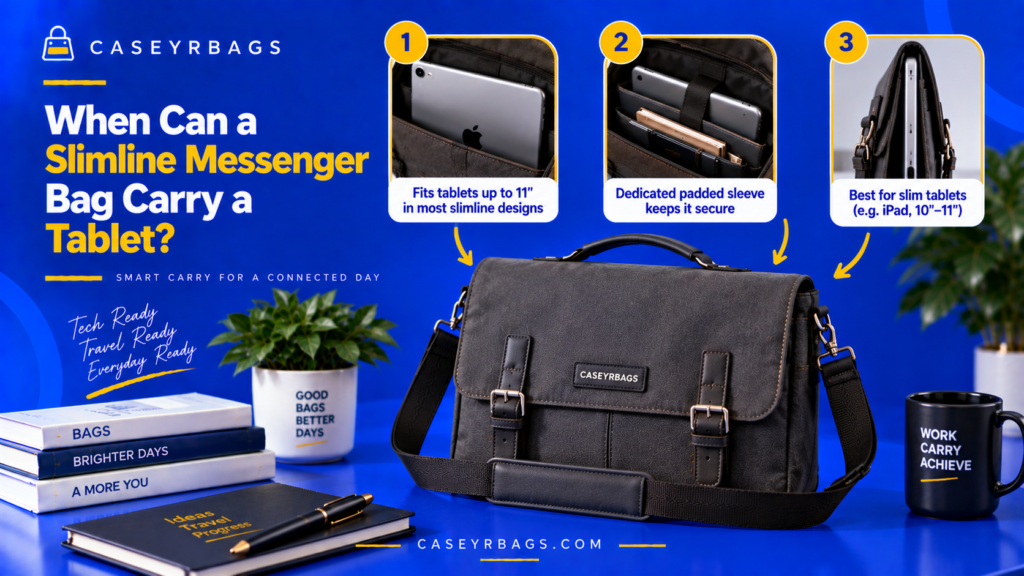
When Can a Slimline Messenger Bag Carry a Tablet?
A Slimline Messenger Bag can carry a tablet when the device’s actual width, height, and thickness—including any protective case or keyboard cover—fit within the bag’s usable device compartment or main chamber without forcing the opening, sleeve, flap, or zipper. The compartment should also provide enough practical clearance for normal insertion and removal.
The tablet must also fit alongside the bag’s intended work load. Documents, notebooks, chargers, and other accessories should not compress excessively against the device or push the Messenger Bag beyond its controlled slim profile.
What Determines Whether a Slimline Messenger Bag Can Carry a Tablet?
A Slimline Messenger Bag can carry a tablet only when the device physically matches the usable compartment geometry. Width, height, thickness, and opening clearance all matter.
The tablet’s real carry dimensions may be larger than its bare-device specifications because a protective case, keyboard cover, or attached accessory adds thickness or edge bulk. These additions can change a previously suitable fit.
Functional compatibility also requires the tablet to coexist with the bag’s normal work contents. A device that fits only when every other item is removed may not represent useful work-item compatibility within the broader Messenger Bag system.
Which Variables Determine Tablet Fit?
Tablet width, height, thickness, case thickness, sleeve dimensions, padding, opening geometry, and packed bag depth all shape compatibility.
Variable → clearance effect → compatibility consequence. Tablet fit must be evaluated as a complete geometric relationship rather than from a single dimension or capacity number.
Why Is Tablet Screen Size Not Enough?
Screen diagonal does not fully reveal device width, height, bezel size, chassis thickness, or the extra dimensions added by a protective case.
Screen size ≠ physical device dimensions. Two tablets with the same screen class can require different usable sleeve geometry.
What Makes Tablet Carry Functionally Suitable?
Functional suitability requires physical fit, usable clearance, stable storage, normal closure, and compatibility with the bag’s intended work load.
A tablet that fits only by removing normal contents or forcing the closure is not a successful real-use fit.
How Should Tablet Dimensions Be Checked?
Actual device geometry should be compared directly with the bag’s usable sleeve and opening dimensions in the orientation the tablet will really use.
Which Tablet Measurements Matter Most?
Width, height, and thickness matter more than screen diagonal alone because they determine whether the device fits inside the sleeve and passes through the opening.
These measurements should include the normal carried configuration where relevant, not merely the manufacturer’s bare-device dimensions.
Why Should Dimensions Be Checked in the Intended Orientation?
Portrait and landscape insertion can interact differently with opening width, sleeve shape, compartment height, and nearby hardware.
A tablet that fits in one orientation may be awkward or impossible to insert in another, so the actual access path should be tested.
Why Should Some Functional Clearance Remain?
A practical fit should not require forced sleeve-wall bending, excessive pushing, or repeated friction against closure hardware.
Exact dimensional equality is not the same as practical fit. Functional clearance supports normal insertion and removal.
How Does a Protective Case Change Tablet Fit?
Tablet compatibility should be evaluated in the configuration actually carried because cases and keyboard covers change both dimensions and stiffness.
How Does a Standard Protective Case Change Dimensions?
A protective case can add thickness, enlarge edge dimensions, create raised corners, and add cover overlap around the bare tablet.
Case adds edge bulk → sleeve clearance falls → previously workable fit may become too tight.
How Does a Keyboard Case Change Slimline Messenger Bag Fit?
A keyboard cover can substantially increase both thickness and stiffness while also changing how the device stack occupies the sleeve.
Tablet + keyboard cover → greater thickness + stiffness → larger packed profile and lower slimline margin.
Why Should the Bag Not Be Tested Only With a Bare Tablet?
If the tablet is normally carried in a case, the bare device does not represent the real geometry entering the sleeve or opening.
Bare-device fit ≠ real-use device fit. The carried configuration is the one that must pass the compatibility test.
| Device Configuration | Width/Height Effect | Thickness Effect | Fit Risk |
|---|---|---|---|
| Bare tablet | Baseline | Baseline | Lowest |
| Slim case | Slight increase | Low increase | Moderate |
| Protective case | Possible edge increase | Moderate | Higher |
| Keyboard case | Variable | Significant potential | Highest slimline impact |
How Should the Device Sleeve Fit the Tablet?
A controlled sleeve fit should limit unnecessary movement while still allowing the actual tablet configuration to enter and leave without forcing.
What Does an Appropriate Sleeve Fit Look Like?
The device enters normally, the sleeve walls do not need forced stretching, the tablet remains reasonably positioned, and removal stays practical.
Controlled fit balances retention with access rather than maximizing tightness.
What Indicates That the Sleeve Is Too Tight?
Force during insertion, zipper or flap pressure, compressed case corners, or difficult retrieval indicate insufficient usable clearance.
Too-tight fit → increased friction and closure pressure → poor functional compatibility.
What Indicates That the Sleeve Is Too Loose?
Excessive sliding, tilting, or leaning into nearby contents indicates that the compartment does not control the device position sufficiently.
Controlled fit should limit unnecessary movement without requiring forced insertion.
How Does Sleeve Padding Affect Tablet Compatibility?
Padding changes both the sleeve’s protective structure and the usable dimensions available to the tablet and nearby work items.
How Does Padding Reduce Usable Sleeve Dimensions?
Padding thickness occupies part of the compartment envelope and reduces the internal width, height, or depth available to the device.
More padding → more material inside the sleeve ↔ less usable clearance.
How Does Padding Change the Packed Profile?
Thicker sleeve walls can increase exterior bag depth and leave less remaining space for documents, notebook layers, or accessories.
Padding affects the entire packed geometry rather than only the device zone.
Why Does Padding Not Guarantee Tablet Protection?
A padded sleeve may add cushioning and separation, but actual protection depends on material, thickness, base design, device fit, and impact conditions.
Padded sleeve ≠ certified impact protection.
How Does the Main Opening Affect Tablet Insertion?
Interior fit is only useful when the tablet can pass through the actual access path without forced angle changes or hardware interference.
Can the Sleeve Fit a Tablet That the Opening Cannot Easily Admit?
Yes. The final compartment can be large enough while the main opening remains narrower, more rigid, or less favorably shaped.
Interior space ≠ opening clearance. The item must pass through the real entry path.
How Does a Structured Upper Edge Affect Insertion?
A structured upper edge can preserve a predictable opening angle while offering less flex than a soft opening.
Controlled but rigid geometry can make insertion more exacting even when the sleeve itself fits the device.
How Does Flap Hardware Affect Tablet Entry?
Fasteners near the entry, zipper tracks, and nearby strap or handle hardware can reduce or redirect the usable access path.
The tablet must fit through the actual access path, not merely inside the final compartment.
How Does Bag Depth Affect Tablet Carry?
Tablets generally suit shallow Messenger geometry, but their case, sleeve, notebook, and accessory layers can still push the packed profile beyond a controlled slimline shape.
Why Do Tablets Generally Suit Shallow Messenger Bag Geometry?
Tablets are usually broad, flat, and relatively thin, so they can occupy useful width and height without requiring deep storage by themselves.
This makes them structurally compatible with many slim work-item layouts when the actual dimensions fit.
How Can the Tablet Still Consume Significant Depth?
A thick protective case, keyboard cover, and padded sleeve can combine to use much more front-to-back space than the bare device suggests.
Thin device + added structural layers → higher total thickness.
When Does Device Carry Stop Behaving as Slimline?
Persistent outward bulging, compressed compartments, or flap tension indicate that the complete device load is exceeding the intended profile.
Thin device ≠ thin total load.
Can a Slimline Messenger Bag Carry a Tablet With Documents?
Tablets and documents are structurally compatible when they occupy separate flat zones and the combined load does not compress either item group or push the bag outward.
Why Are Tablets and Documents Structurally Compatible?
Both primarily require width and height and usually add relatively shallow depth when they are stored flat.
Shared flat-item geometry can support efficient slimline organization when the bag provides enough usable area.
How Should Documents and Tablet Be Separated?
A dedicated sleeve, divider, or separate flat zones can keep paper items from mixing directly with the device.
Clear separation supports predictable retrieval and prevents the device from occupying the same organizational role as documents.
When Does Combined Carry Become Too Crowded?
Documents bending around the device, sleeve compression, difficult removal, or a flap pushed outward show that the combined load is no longer fitting cleanly.
Both items fitting separately does not guarantee they fit together functionally.
| Load Combination | Slimline Compatibility | Main Constraint |
|---|---|---|
| Tablet only | High potential | Device dimensions |
| Tablet + documents | High potential | Width/height + separation |
| Tablet + notebook | Moderate–high | Combined thickness |
| Tablet + notebook + bulky accessories | Variable | Packed depth |
| Tablet + keyboard case + accessories | Lower slimline margin | Thickness |
Can a Slimline Messenger Bag Carry a Tablet With a Notebook?
Tablet and notebook layers can coexist when their cumulative thickness still allows the sleeve, neighboring compartments, and closure to function naturally.
How Does a Notebook Change Packed Depth?
Tablet thickness plus notebook thickness increases the combined front-to-back profile even when both items are individually slim.
Tablet + notebook → cumulative thickness rises → remaining slimline margin falls.
Why Does Notebook Cover Stiffness Matter?
A rigid notebook cover reduces flexibility, creates a fixed layer, and can increase pressure against the tablet sleeve or bag wall.
Stiffness changes how the load conforms inside a shallow chamber and can make the same total thickness feel less adaptable.
When Does Tablet + Notebook Remain a Good Slimline Load?
The combination remains functional when compartments stay usable, the flap closes naturally, the device is not compressed, and retrieval remains easy.
Combined carry should be judged from loaded behavior rather than item count.
How Do Chargers and Cables Affect Tablet Carry?
Small accessories can create more local thickness than the tablet itself, especially when hard chargers sit beside or in front of a shallow device sleeve.
Why Can a Charger Disrupt a Slim Tablet Load?
A compact charger can create concentrated thickness that pushes outward locally and consumes more depth than its small footprint suggests.
Compact charger → concentrated thickness → local profile growth.
Where Should Cables and Small Accessories Be Organized?
Cables and small accessories work best in a dedicated accessory pocket or separate small-item zone where they do not crowd the sleeve opening.
Separated accessory storage helps preserve device clearance and predictable work-item organization.
Why Should Hard Accessories Not Be Packed Carelessly Against the Tablet?
Hard accessories can create localized pressure, shift the device position, and reduce usable sleeve clearance when packed tightly nearby.
The concern is fit geometry and pressure distribution, not a guarantee of damage.
How Does Tablet Retention Affect Carry Stability?
Internal retention helps keep the tablet predictably positioned so the device does not shift excessively inside an oversized or moving bag.
Why Should the Tablet Remain Predictably Positioned?
A stable device position reduces internal shifting and helps the bag maintain a more predictable orientation during normal movement.
Stable device position → less internal shifting → more predictable bag behavior.
How Can a Retention Tab or Sleeve Closure Help?
A tab, strap, or sleeve closure can limit upward movement and help maintain the tablet’s intended position inside the compartment.
Retention can be useful when it controls movement without adding unnecessary access friction.
Why Does Retention Not Equal Impact Protection?
Movement control addresses how the device shifts inside the bag, not how it responds to a drop or impact event.
Movement control ≠ drop protection.
How Does the Bag Base Affect Tablet Carry?
The tablet’s lower position matters because the sleeve base determines how directly the device interacts with the bottom structure of the bag.
Why Does Device Position Near the Base Matter?
A low sleeve can place the tablet closer to the bag bottom, while a raised sleeve creates more separation from direct base contact.
Lower compartment geometry affects how the device sits inside the bag without proving any specific impact outcome.
How Can a Raised or Padded Sleeve Base Help?
A raised or padded base can create separation from direct bag-bottom contact and provide additional cushioning material beneath the device.
Separation and cushioning can improve compartment structure while still requiring realistic fit evaluation.
Why Does a Padded Base Not Guarantee Drop Protection?
Base cushioning is only one part of a device-carry system and does not establish certified impact performance.
Base cushioning ≠ certified impact protection.
How Does Closure Clearance Affect Tablet Fit?
The bag must close naturally after the tablet and normal work load are inside; closure pressure is a strong indicator that compatibility is failing.
How Can a Tall Device Interfere With Flap Closure?
A tall tablet or case can lift the flap, shift fastener alignment, or reduce normal overlap when the compartment lacks sufficient height clearance.
Height mismatch can appear as closure geometry failure rather than obvious sleeve tightness.
How Can a Thick Device Configuration Interfere With Zipper Closure?
Extra thickness can increase zipper tension, compress nearby compartments, and make opening or reclosure difficult.
Tablet + case + other layers can exceed the bag’s usable depth even when the device footprint fits.
What Indicates Appropriate Closure Clearance?
The flap returns naturally, the zipper moves without forced pressure, hardware aligns, and the outer panels do not remain persistently bulged.
Bag closes under force ≠ tablet fits properly.
How Does Tablet Carry Affect the Slimline Profile?
Loaded slimline behavior should be judged with the actual device and normal work items in place rather than from the empty bag silhouette.
What Does a Controlled Tablet-Loaded Profile Look Like?
Limited outward expansion, stable side panels, natural flap alignment, and usable remaining compartments indicate that the tablet load still fits the intended profile.
Controlled loaded geometry shows that the bag remains slim in practice, not only when empty.
What Indicates the Tablet Load Is Too Thick?
Persistent bulging, a compressed sleeve, stretched closure, or accessories forced into leftover gaps indicate excessive packed thickness.
These signs show that the tablet-related load is consuming too much of the slimline margin.
Why Should Slimline Identity Be Evaluated While Loaded?
An empty Messenger Bag can appear thin even though the normal device and work-item load changes its depth and closure behavior substantially.
Empty-bag slimness ≠ loaded-bag slimness.
How Does Tablet Size Affect the Rest of the Work Load?
Tablet footprint can reduce adjacent organization space even when the device remains thin, so device fit must be evaluated within the whole work-load layout.
How Can a Larger Tablet Reduce Accessory Space?
A wider or taller sleeve can occupy more chamber area and leave less room for neighboring pockets or document zones.
Larger footprint → greater chamber occupation → less adjacent organizational space.
How Can a Smaller Tablet Change Organization?
A smaller device can free more compartment space but may also require stronger retention when the sleeve is substantially oversized.
More spare space can improve capacity while increasing movement potential if the device position is not controlled.
Why Should Bag Size Not Be Selected From Tablet Size Alone?
The bag must also accommodate documents, notebook, charger, cables, and other routine work items.
Device fit is one component of total work-load fit.
When Is a Slimline Messenger Bag Too Small for a Tablet?
Undersizing appears through observable fit problems such as forced insertion, insufficient sleeve clearance, closure interference, and failure with the normal case.
What Indicates Insufficient Width or Height?
Forced insertion, the device protruding beyond the sleeve, or interference with flap or zipper closure indicate insufficient usable width or height.
Footprint mismatch is a dimensional failure even when the bag has enough total volume.
What Indicates Insufficient Thickness Clearance?
A compressed case, overly tight sleeve, difficult retrieval, or persistent outward panel pressure show that usable depth is inadequate.
Thickness failure often becomes visible only after the device is inserted with its real case and surrounding contents.
What if the Tablet Fits Only Without Its Normal Case?
If the tablet is normally carried in the case, bare-device-only fit is not functional compatibility.
Real-use fit must represent the device configuration actually carried.
When Is the Tablet Compartment Too Large?
An oversized compartment can reduce positional control even though insertion and removal remain easy.
How Can Oversized Sleeve Space Affect the Tablet?
Extra space can allow sliding, tilting, or repeated movement inside the compartment during carry.
Oversized sleeve → more movement potential → less predictable device position.
Can Internal Retention Compensate for Some Extra Space?
Yes. A retention tab, sleeve closure, or compartment structure can limit movement when the extra space is modest and the system is designed for it.
Retention can improve control without making an oversized sleeve automatically ideal.
Why Should Oversized Fit Still Be Evaluated in Motion?
A tablet may look acceptable while stationary but shift noticeably during walking or repositioning.
Static fit does not fully reveal movement during carry.
How Can Poor Tablet Fit Be Diagnosed?
Tablet-fit problems should be traced to dimensions, case geometry, sleeve clearance, opening path, adjacent load, bag depth, or closure rather than treated as one generic capacity problem.
What if the Tablet Will Not Enter the Sleeve?
Check the device dimensions, case dimensions, sleeve internal dimensions, and opening width to identify whether the failure occurs before or inside the compartment.
Do not force the device; locate the dimension or access constraint that prevents normal insertion.
What if the Tablet Fits but Is Difficult to Remove?
Check excessive sleeve tightness, case friction, overfilled adjacent compartments, and restrictive opening geometry.
Removal friction can appear even when insertion was technically possible, so both directions must be tested.
What if the Tablet Fits but the Bag No Longer Closes Correctly?
Check total packed thickness, notebook and accessory load, flap alignment, and the device’s actual position inside the sleeve.
Tablet fit alone can succeed while loaded-bag compatibility fails.
| Observed Problem | Check First | Likely Fit Variable |
|---|---|---|
| Will not enter | Device + case dimensions, opening | Width/height/opening |
| Fits but hard to remove | Sleeve tightness, case friction | Clearance |
| Fits but shifts | Sleeve size, retention | Oversized compartment |
| Bag will not close naturally | Packed thickness, flap/zipper | Loaded depth |
| Profile bulges | Notebook/accessory stack | Total combined thickness |
How Should Tablet Compatibility Be Evaluated?
Real-use compatibility should be tested with the actual cased tablet and the normal work load after the sleeve, opening, padding, retention, and bag depth have been verified.
What Should Be Verified Before Loading?
Verify tablet dimensions, case dimensions, sleeve dimensions, opening geometry, padding, retention, and bag depth before the complete work load is added.
These checks establish whether the device has a plausible physical and access fit before loaded interactions are introduced.
What Normal Contents Should Be Included?
Use the tablet in its normal case, documents, notebook, charger, cables, and other essential work items that are genuinely carried.
Removing normal contents simply to force compatibility creates an unrealistic test result.
Which Sequence Should Determine Functional Tablet Fit?
- Verify tablet dimensions.
- Measure or verify the tablet in its normal case.
- Verify the usable sleeve dimensions.
- Insert the tablet without forcing.
- Check retention and sleeve clearance.
- Add normal documents.
- Add notebook if normally carried.
- Organize charger and cables separately.
- Close internal compartments.
- Lower and secure the flap or main closure.
- Observe packed depth.
- Carry the bag normally.
- Reopen it.
- Remove the tablet without unloading unrelated contents.
- Confirm the bag returns to normal shape after reclosure.
Use the exact sequence so the tablet and case are verified first, the sleeve is confirmed, and insertion occurs without force before other normal work items are added.
Then close, observe packed depth, carry, reopen, remove the tablet without unloading unrelated contents, and confirm the bag returns to normal shape after reclosure.
How Can Slimline Messenger Bag Tablet-Fit Mismatches Be Avoided?
Compatibility mismatch is avoided by preventing screen size, liter capacity, or bare-device fit from replacing complete evaluation of actual device geometry and loaded bag behavior.
Why Is Screen Size Alone a Weak Compatibility Test?
Chassis dimensions, aspect ratio, bezel, thickness, and protective cases vary even among tablets with similar screen diagonals.
Screen size ≠ physical device dimensions. Actual width, height, and thickness must be compared directly with the usable sleeve.
Why Is Liter Capacity Also Insufficient?
A bag may have enough total volume while still lacking the required width, height, sleeve geometry, or opening path for the intended tablet.
Capacity ≠ device compatibility.
What Should Be Verified Before Treating the Bag as Tablet-Compatible?
Verify the exact tablet dimensions, normal case and keyboard cover, usable sleeve dimensions, padding displacement, opening path, retention, base interaction, closure clearance, and tablet removal.
Also confirm coexistence with documents, notebook, charger and cables, natural closure, controlled loaded depth, and no forced insertion, excessive movement, or persistent outward bulging.
- Exact tablet model dimensions are known or verified.
- Width is checked.
- Height is checked.
- Thickness is checked.
- Normal protective case is included in the fit test.
- Keyboard cover is included where normally used.
- Screen size is not treated as the complete device measurement.
- Bag liter capacity is not treated as device compatibility.
- Device sleeve internal dimensions are verified.
- Padding displacement is considered.
- Tablet can enter without forced stretching.
- Tablet can be removed without excessive friction.
- Device remains reasonably controlled inside the compartment.
- Sleeve is not excessively loose.
- Opening geometry accommodates the device.
- Flap or zipper closes naturally after loading.
- Closure is not under excessive tension.
- Tablet can coexist with normal documents.
- Tablet can coexist with the normal notebook where required.
- Charger and cables have suitable separate space.
- Hard accessories do not create unnecessary pressure against the device.
- Packed bag retains a controlled Slimline profile.
- Physical fit is not confused with impact protection.
- Padding is not described as guaranteed protection.
- Final compatibility is judged with the complete normal work load.
Conclusion
A Slimline Messenger Bag can carry a tablet when the tablet’s actual dimensions—including its normal case—fit within the usable device compartment and through the bag’s opening without forced insertion or closure pressure. The sleeve should also keep the device reasonably controlled while allowing practical removal.
A Slimline Messenger Bag is functionally tablet-compatible when the cased device fits the usable compartment, remains reasonably controlled, can be inserted and removed normally, coexists with the intended work items, and allows the loaded bag to close naturally while preserving its controlled slim profile. Screen size, liter capacity, bare-device fit, or padding alone cannot prove compatibility or protection; the complete loaded system must work together.
FAQs
Not necessarily. Screen diagonal does not fully describe device width, height, chassis thickness, bezel shape, or the dimensions added by a normal protective case.
Actual device dimensions should be compared with the usable sleeve dimensions and opening path. Screen-size labels alone cannot confirm functional tablet compatibility.
Yes, when the case-inclusive width, height, and thickness remain within the usable compartment dimensions and the actual opening provides practical clearance.
The tablet should enter and leave without forcing. Bare-device fit ≠ real-use device fit when the protective case is normally used.
No. Padding may provide cushioning, separation, and more controlled positioning around the tablet inside the compartment.
It does not guarantee complete impact, water, or drop protection. Actual protective performance depends on material, construction, base design, device fit, and the conditions of use.